LicensingIs this officially licensed by Zen Studios™?
Yes. Arcade2TV™ Pinball FX™ Edition is an officially licensed X-Arcade × Zen Studios™ co-branded controller. X-Arcade is responsible for the hardware, manufacturing, warranty and support.
Included gameWhich game is included with this edition?
Every controller includes a manual code: redeem Pinball FX VR™ for Meta Quest™ after delivery, or choose “Already own the game” for a refund of the game portion within 5–10 days. One redemption or refund per code. Steam Frame™ support and Steam® redemption are under review and not guaranteed. PS VR2™ support is planned; PS5™ play and the planned PS VR2™ setup require a separately sold Brook® PS5™ adapter. The PS VR2™ game is sold separately. Pedestal Only includes no controller or game. Headsets and platform hardware are sold separately. Star Wars™ Pinball VR and Pinball FX Classic VR™ are sold separately. Other games and add-on content are not included.
FlippersHow do the two-stage flipper buttons work?
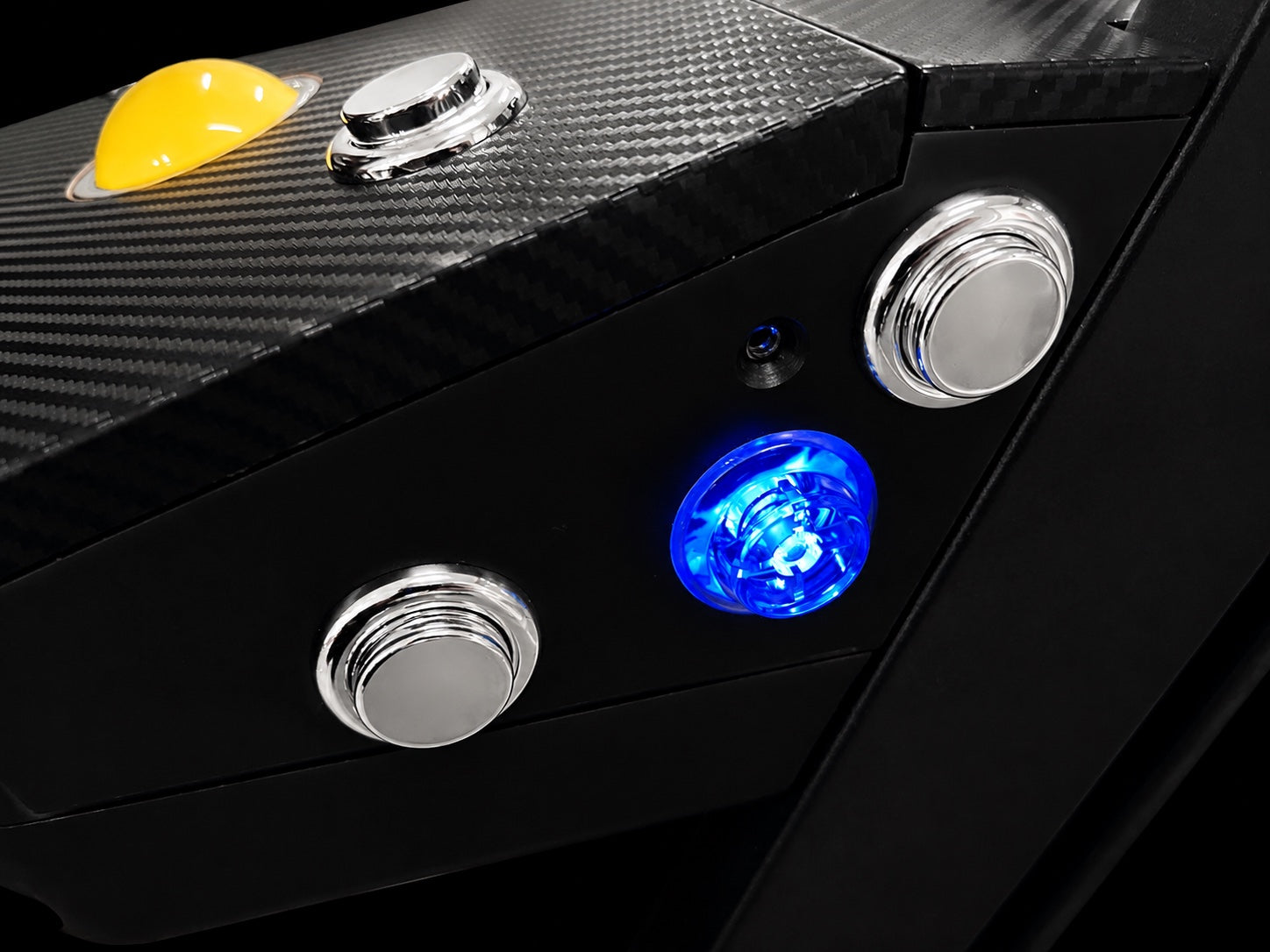
Three buttons sit on each side; the center button uses contactless Hall-effect sensing. Press partway to hold the lower flipper, then farther to add the upper while keeping the lower held. Each stage has its own input, letting you hold the lower flipper and add the upper with the same finger on tables with both flipper levels.
SSF feedbackHow does the SSF feedback differ from the XR series?
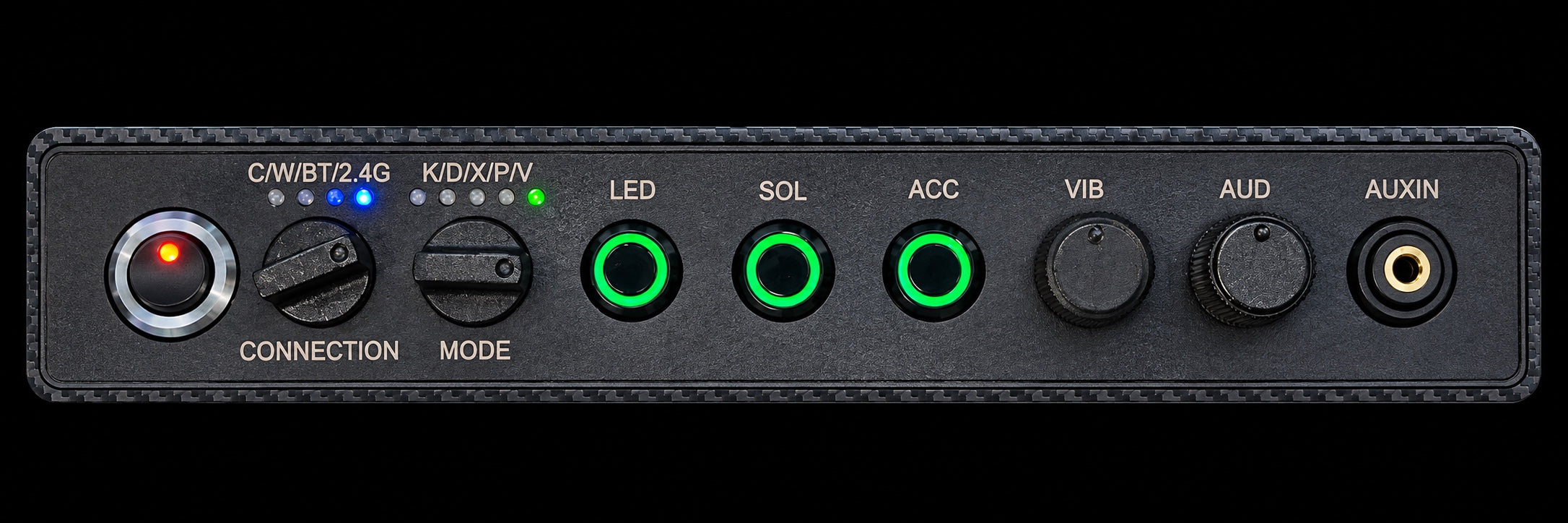
Four audio-driven SSF shakers deliver Surround Sound Feedback through the deck, alongside independent flipper solenoids and stereo speakers. Select the audio mode from the rear panel and set shaker strength with the VIB knob. Pinball FX VR™ dedicated SSF routing sends table-physics audio to the shakers, while music and callouts play through the speakers.
LaunchWhere is the launch button?
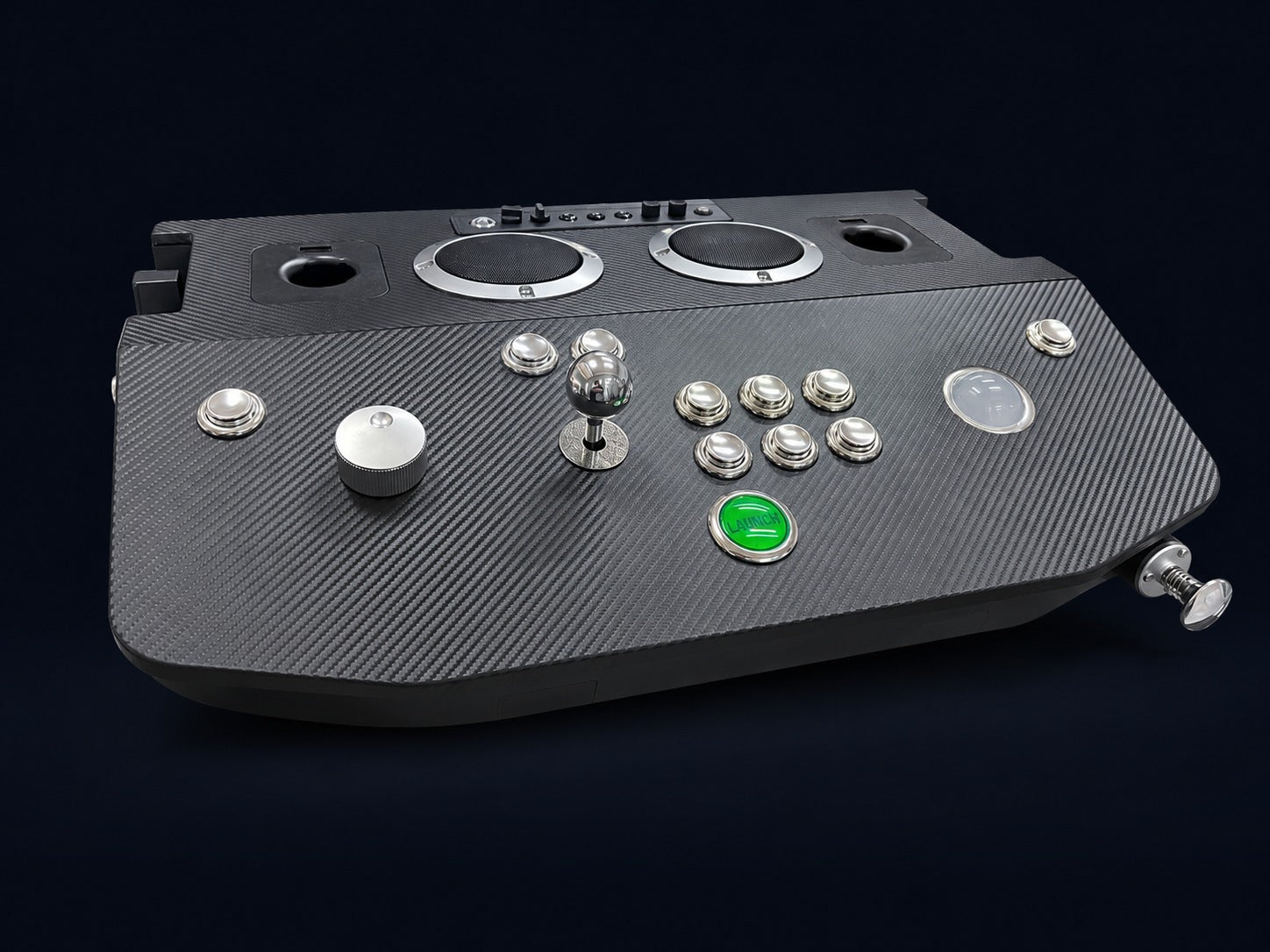
On the deck face, centered, just behind the front edge — so your hand lands on it naturally. It is the dedicated green-lit pinball-style launch button. The spring-loaded analog plunger, the same one the XR Max uses, sits at the front right.
VRDo I need a VR headset?
No headset is needed for flat-screen pinball, classic arcade games or fighting games on PC and Steam Deck™. VR games require a compatible headset and the correct game version. Each controller includes Meta Quest™ game redemption or the “Already own the game” refund option after delivery. Steam Frame™ support and Steam® redemption are under review and not guaranteed. PS VR2™ support is planned. PS5™ play and the planned PS VR2™ setup require a Brook® PS5™ controller adapter, sold separately. The PS VR2™ game must be purchased separately through PlayStation® Store. Pedestal Only includes no controller or game. Star Wars™ Pinball VR and Pinball FX Classic VR™ are sold separately. Headsets, computers, consoles and adapters are sold separately.
Game featuresHow do standard controls and advanced pinball features differ?
Choose the input mode and control mapping supported by your game. Two-stage flippers, analog plunger and nudge need compatible game support. Pinball FX VR™ brings analog plunger input, accelerometer-based nudge, remappable controls and two-stage flipper buttons together with dedicated SSF audio routing. We’re working toward Steam Frame™ controller support within the headset’s hardware limitations. Compatibility is not guaranteed.
ArcadeCan I play arcade games on it too?
Yes. The joystick, push buttons, illuminated trackball and integrated spinner make this a complete single-player arcade controller, with the same core functionality as XR Max. Play classic arcade games and fighting games on PC and Steam Deck™, using the control type and mapping supported by each game.
CompatibilityWhat does it connect to?
Use the connection mode and control mapping supported by your game and platform. PC and Steam Deck™ support compatible flat-screen games. Console play requires a compatible Brook® adapter, sold separately. Trackball, spinner and advanced pinball features depend on software support. Steam Frame™ controller compatibility remains under review and is not guaranteed.
PricingHow does pre-order pricing work?
Choose Controller Only, Controller + Pedestal or Pedestal Only. Current prices are shown in the setup selector. Pre-order savings apply to the two controller options; Pedestal Only has no pre-order discount.
OptionsIs the pedestal included?
Choose Controller + Pedestal to add the matching stand for $100. Controller Only is the deck without a pedestal. Both include a redemption code in the manual. Pedestal Only includes no controller, game or redemption code.
Can I redeem the code on both Meta Quest™ and Steam®?
Each code provides one redemption or one refund choice. Meta Quest™ redemption is included. Steam® game redemption for Steam Frame™ is under review and is not guaranteed. A code redeemed on one platform cannot also redeem another; a second platform’s version must be purchased separately.
How do I receive my selected game?
Every controller includes a redemption code in the manual. After delivery, enter it on the activation website shown there to redeem Pinball FX VR™ for Meta Quest™, or choose “Already own the game” for a refund of the game portion within 5–10 days. Steam® game redemption for Steam Frame™ is under review and is not guaranteed. One platform per code; one redemption or refund choice. A second platform’s version must be purchased separately. Pedestal Only includes no controller, game or redemption code.
What is the Steam Frame™ compatibility status?
We’re working toward Steam Frame™ controller support within the headset’s hardware limitations. Compatibility is not guaranteed. Steam® game redemption for Steam Frame™ is under review and is not guaranteed. Game redemption and headset compatibility are separate. PS VR2™ support is planned. PS5™ play and the planned PS VR2™ setup require a Brook® PS5™ controller adapter, sold separately. The PS VR2™ game is not included and must be purchased separately through PlayStation® Store.
What should PS VR2™ players choose?
PS VR2™ support is planned. Controller support is still in development. The goal is to support the controller when Pinball FX VR™ launches on PS VR2™. Choose Controller Only or Controller + Pedestal for your hardware setup. PS5™ play and the planned PS VR2™ setup require a Brook® PS5™ controller adapter, sold separately. The PS VR2™ game is not included and must be purchased separately through PlayStation® Store.
Does Steam Deck™ support confirm Steam Frame™ compatibility?
No. Steam Deck™ support refers to compatible flat-screen games. Steam Frame™ is a separate platform, with controller support and Steam® game redemption under review. Compatibility and redemption are not guaranteed. Headsets and other platform hardware are sold separately.
What if I already own the game?
After your controller arrives, enter the redemption code from its manual on our activation website and select “Already own the game.” We will process a refund for the game portion and return it to you within 5–10 days. You do not need to choose a separate no-game product when ordering.