
X‑Arcade · Tankstick VR MAX Edition

Arcade2TV⁠-⁠XR MAX

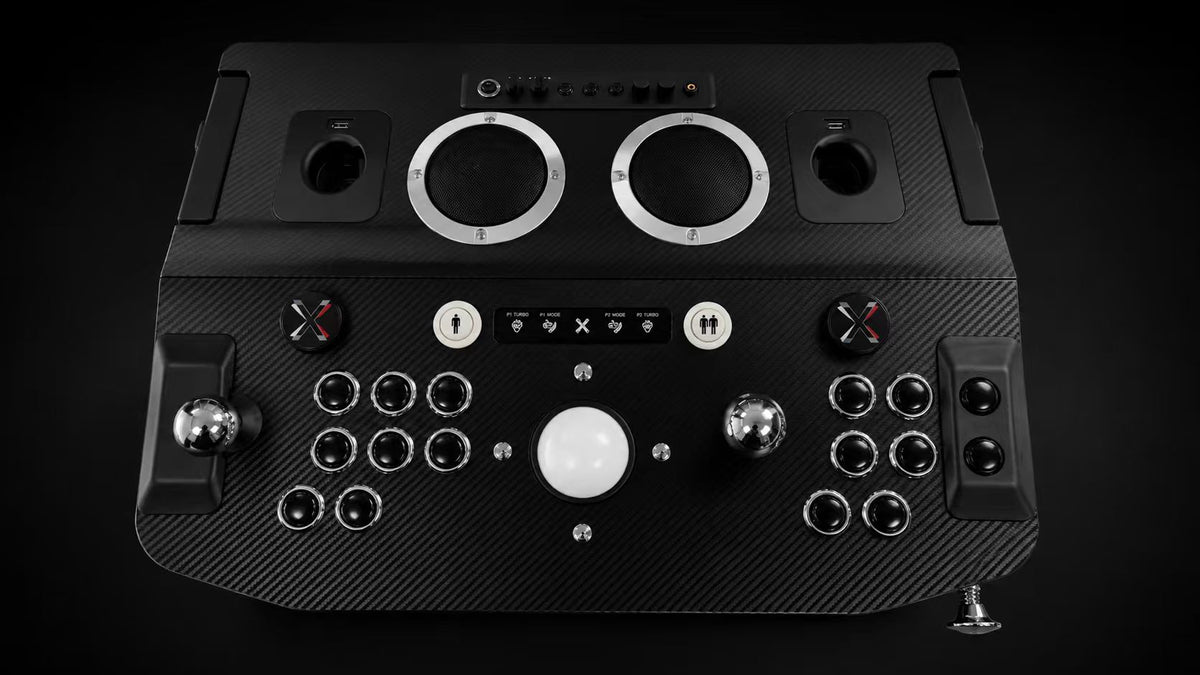
The controls of a full arcade cabinet — and of a real pinball table — in one deck. Built to play arcade and pinball in VR, and it comes with two VR games. Plug into your VR headset, PC or console. Play in minutes.

$699 $649 pre‑order · controller + pedestal included
interest‑free installments at checkout
+ $77 shipping — it’s a real arcade deck, and it ships like one
★ Featured by VICE · CNET · UploadVR · Designed in the USA
ASSET A hero orbit — 8s video or 120‑frame seq · 180° turn · black studio
Pull back. Let go.
One deck. Two ways to play.

Everything your hands touch.

Hover either side to explore. One deck gives you the control panel of a full arcade cabinet and of a real pinball table. Your headset, PC or console runs the game — the MAX is what your hands land on.

An arcade cabinet in VR, played on the Arcade2TV-XR MAX
IMAGE SLOT MR capture — virtual cabinet + hands on the MAX
Way one

Arcade.

Real sticks, buttons, trackball & spinners.

  • Two commercial‑grade joysticks — the real thing, not toys
  • Chrome‑ringed buttons with a proper arcade click
  • Center trackball + twin spinners for the classics
  • Fighters, shooters, retro cabinets, trackball games
Hover to explore →
A virtual pinball table in VR, played on the Arcade2TV-XR MAX
IMAGE SLOT MR capture — VR table + hands on the flippers
Way two

Pinball.

Flippers, plunger, nudge & rumble.

  • Three flipper buttons on each side — like a pro cabinet
  • A real spring plunger to launch the ball
  • Shove the deck to nudge — it feels the bump
  • Four audio‑driven shakers — rumble under your hands on every hit, with Pinball FX VR and every pro pinball app
Hover to explore →
No VR headset? No problem.  The MAX is also a full arcade controller for TV, PC and console gaming — one plug, one switch, play.
2ways to playarcade + pinball
4SSF haptic shakersaudio-driven force feedback
6flipper buttons for pro pinballthree each side
3ways to connectcable · Bluetooth · dongle
1cable does it allcontrols · sound · charging
Works with Meta Quest 2, 3 & 3S PC Mac Steam Deck Raspberry Pi Nintendo Switch* Other consoles*

VR headsets

  • Meta Quest 2
  • Meta Quest 3
  • Meta Quest 3S

Computers

  • Windows PC
  • Mac
  • Linux
  • Raspberry Pi

Handhelds

  • Steam Deck
  • Windows handhelds

Consoles

  • Nintendo Switch — via adapter
  • PlayStation — via adapter
  • Xbox — via adapter
  • Retro consoles — via adapter

How it connects

  • Wired USB‑C — fastest
  • Bluetooth
  • 2.4G wireless dongle

*Console adapters sold separately — browse adapters.

Act I — The Experience  what it feels like to play
ASSET D 12–15s mixed‑reality capture: player in Quest at the MAX, cable visible, Pinball FX VR overlay
VR, wired

Plugged into
the game.

One cable to your Quest does everything at once: instant controls, game sound, and charging — so long sessions never end on an empty battery. Steam Deck and handhelds ride the same single cable — controls and sound in one plug.

Connect your way

Three ways in. One is instant.

Go wireless for total freedom — or plug in a single cable for the fastest, most reliable link that charges your headset while you play.

Input delayshorter is faster
Bluetootheasy pairing
20ms
Wireless dongle2.4 GHz
10ms
One cable wiredthe fastest link
2–3ms

Delay figures illustrative. The USB‑C OTG cable is included in the controller kit.

Charge while you play

The cable powers your headset as you play — marathon Pinball FX VR and Arcade Ranger sessions without watching the battery.

Game sound, built in

Sound rides the same cable into the MAX’s built‑in speakers — clean and clear. Or plug your own headphones into the jack on the front.

Wireless when you want it

Bluetooth and the included 2.4G wireless dongle are on board too. One switch on the back picks how you connect.

How it works in VR

Look down.
The machine is real.

Put on the headset and a full arcade cabinet — or a full pinball table — is standing on your floor. Reach for it and your hands land on real controls, exactly where you see them. Same deck. Two machines.

ARCADE FULL-SIZE CABINET PINBALL ONE PHYSICAL MAX DECK
Aligned 1 : 1
What you see in the headset What your hands find
In the arcade

Sticks where the cabinet’s are

  • Two commercial‑grade joysticks and a centre trackball sit at cabinet height and cabinet spacing — you never hunt for them.
  • Twin front spinners give you Arkanoid, Tempest and Disc of Tron with real momentum, not a pushed stick.
  • Two players, side by side on one deck, the way you actually stood at the machine.
Arcade Ranger included — redemption code for the Meta Store.
On the table

Flippers, plunger, and a real nudge

  • Three flipper buttons per side — upper and lower on separate buttons, so you can stage a ramp shot like a pro cabinet.
  • A real spring plunger you pull back and release. Skill shots become feel, not a button press.
  • Shove the deck to nudge — the accelerometer reads the actual bump, and haptics answer through your palms.
Pinball FX VR included — redemption code for the Meta Store.

Meta Quest headset sold separately. Both titles come with either controller setup at no extra cost — already own them? Email support@xgaming.com and we’ll waive the game cost. Pinball FX VR is a trademark of Zen Studios Ltd. Arcade Ranger by Pumpkin VR.

Three flipper buttons per side — staged for upper and lower flippers, ready for every professional pinball app.
2
Physical spinners, front‑mounted so they never crowd your Quest controllers in VR.
This one spins as you scroll. Imagine it in Arkanoid.
Nudge it
Shove the deck like a real table — it feels the bump and nudges the ball in the game. Plus a real spring plunger for honest launches.
Four SSF haptic shakers, built in.  Driven by the game’s audio — every flipper hit, bumper and ball drop thumps through the deck, the way SSF rigs do in full‑size virtual pinball setups. Dial the strength on a rear knob.

Pinball mode is single‑player. Rumble strength and speaker volume adjust with two knobs on the back.

Where it plays

One controller. Every rig you own.

ASSET G1 15s MR capture: Quest player at the MAX — flippers, nudge, spinner use

The arcade, inside the headset.

Strap in and the MAX becomes the physical half of your virtual arcade. Wire in over USB‑C for a 2–3 ms link that charges your Quest while you play — or go Bluetooth / 2.4G and roam. Spinners sit on the front panel, so your Quest controllers rest exactly where they always did.

  • Real flippers, plunger and nudge in Pinball FX VR
  • Full arcade deck in Arcade Ranger and beyond
  • Haptics thump through the deck as you play
Don’t take our word for it

Real players. Real reviews.

The Arcade2TV‑XR family has been covered by major outlets and creators. MAX launch reviews land here.

As featured on“Highly Recommended” — UploadVR
UrGamingTechie calls Arcade2TV-XR the “Swiss Army knife” of arcade gaming—one rugged controller for VR, retro consoles, and PC.
See why GenXGrownUp describes Arcade2TV-XR as one of the most premium, versatile, and impressive arcade controllers he has tested.
Immersed Robot transforms Meta Quest 3 into a full arcade and calls Arcade2TV-XR a fantastic addition—and a definite recommendation—for retro-gaming and VR fans.
★★★★★

“The X-Arcade Arcade2TV-XR is an exciting piece of equipment, and its use in the VR space makes it a must-own for arcade and pinball fans.”

Shaun CichackiWaypoint/VICE Contributor
★★★★★

“It’s so incredibly well-built it feels like it’ll withstand just about anything I’d throw at it.”

Nick SutrichSenior Content Producer, Smartphones & XR, Android Central
Bring Pinball FX VR to life with real arcade controls!
Transforming a room into a full VR arcade
Act II — The Deep Dive  design, controls & mods, for those who want it all
ASSET B 10s macro dolly across chrome bezels & black deck · shallow DoF
Design

Blacked out.
Chromed up.

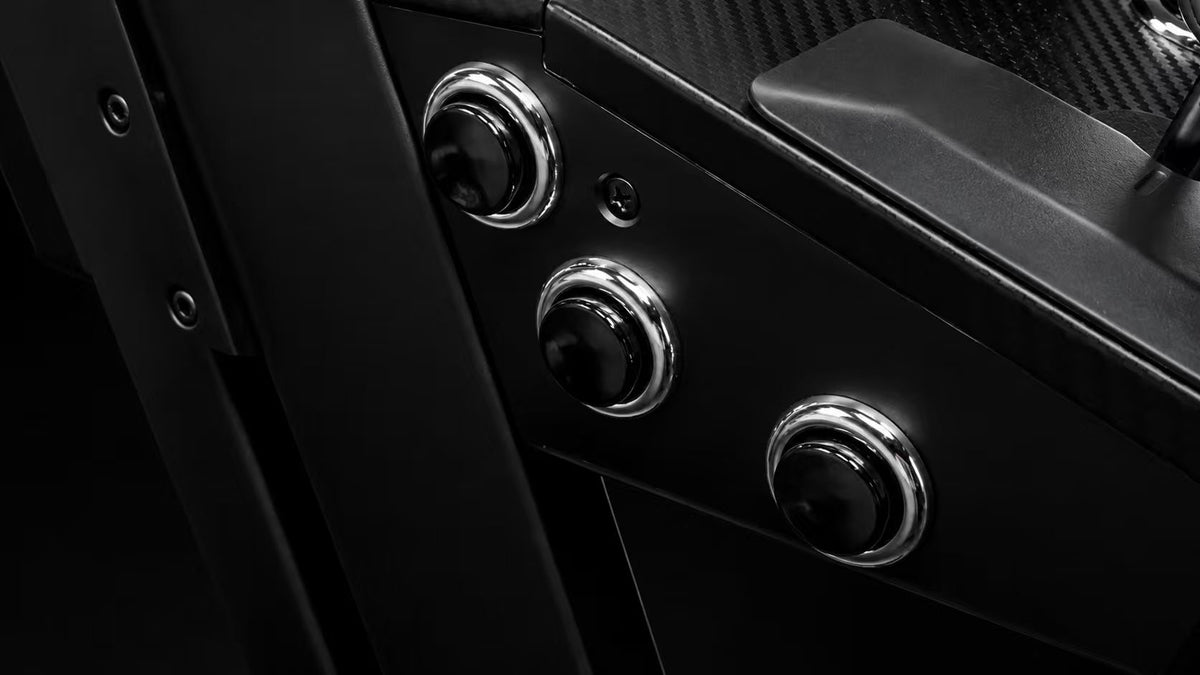
White got dirty. Black gets serious. The MAX trades the white shell for an all‑black finish that shrugs off wear — ringed by chrome‑plated bezels on every button, with the Player 1 and Player 2 start buttons picked out in white.

A finish that lasts

Owners told us white surfaces picked up grime and yellowed with time and sunlight. So the MAX goes full black — deck, shell, everything — framed in chrome‑plated button bezels — Player 1 and Player 2 start buttons in crisp white — for a look that doesn’t age.

No accidental presses

Busy hands near the trackball shouldn’t change your settings. One press locks the front lights and touch controls, so nothing reacts until you unlock it.

FRONT TOUCH PANEL

Lighting, moved back

Lighting effects now live on a dedicated rear control — cycle your glow without ever reaching for the front touch panel mid‑game.

Command, physical

Flip a switch. Turn a knob.

No hotkeys. No button combinations to memorise. No app. Connection mode and driver mode each get their own physical switch — rumble and volume each get their own physical knob. Flip it, turn it, play. Tap the dots to explore.

ASSET E straight‑on rear panel photo, 3000px wide, even lighting
WIRED · BT · 2.4G KB · D · X · PIN · VPX RUMBLE · VOLUME FX DC IN USB‑C AUX

Front headphone jack

Plug your own headset in right up front.

2× USB‑A at the Quest mount

Both ports sit up top at the headset mounting slot — for light guns, USB sticks of games, or whatever you dream up.

Two Quest controller slots

Built into the rear panel, one left and one right. Your Touch controllers park exactly where your hands already are.

One plug powers it all

A single power supply now runs the deck and haptics. The old two‑adapter setup is gone.

ASSET F exploded‑view render — 90‑frame sequence or 10s video, layers separating vertically
Moddable by design

Built to be
customized.

Inside, parts connect with standard USB — like plugging in a mouse. Swap the joystick, change a spinner, add ideas of your own. No soldering, no special skills.

Two internal USB ports

Open it up. Make it yours.

Undo the deck and you’ll find two spare USB ports waiting. Controls plug into them the same way a mouse plugs into a PC — so changing a part is a screwdriver job, not a soldering job. Everything below is an optional mod you can do yourself, any time after launch.
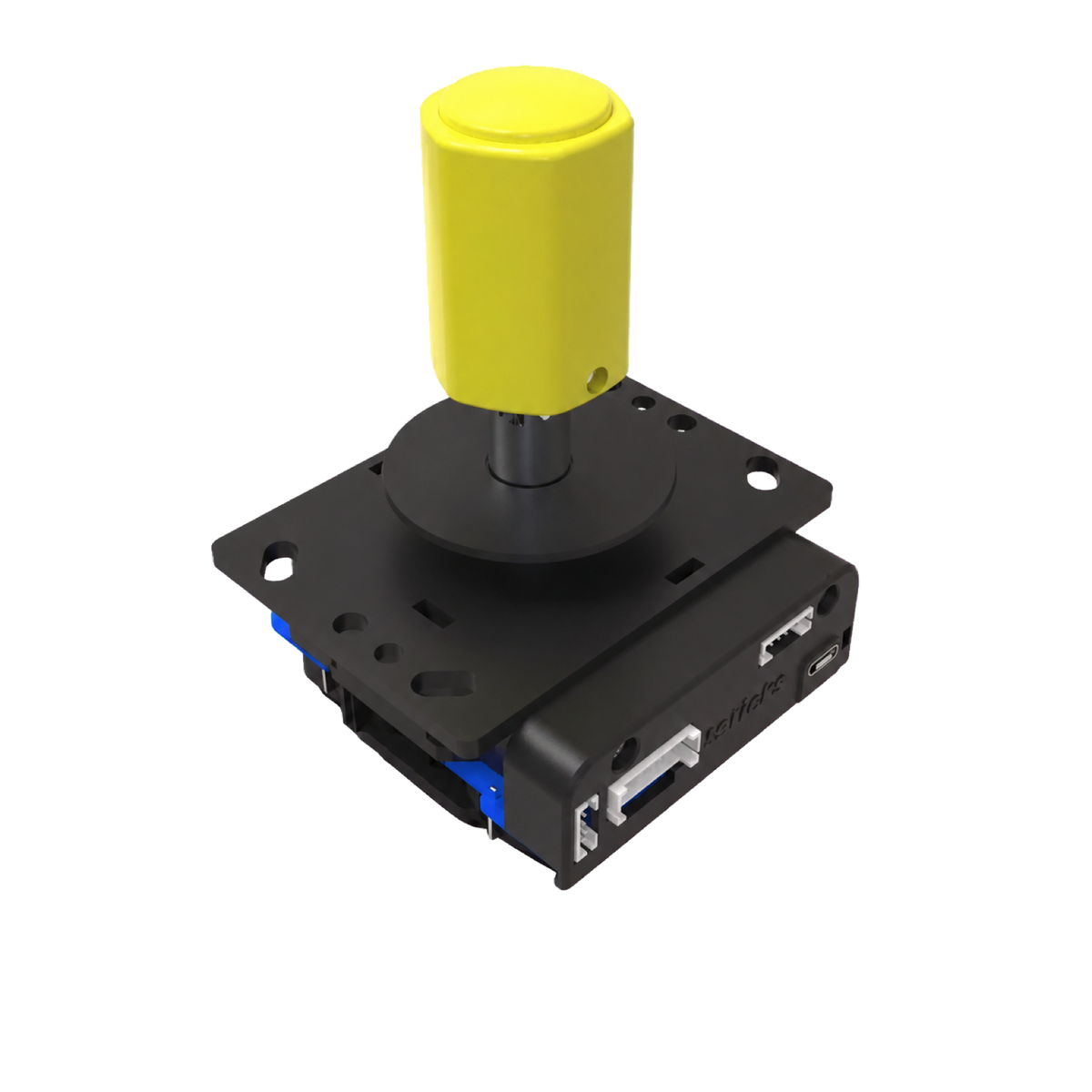
Rotary joystick

Pull the standard stick, drop in a rotary joystick, and the twist-to-aim classics play the way they were built to.
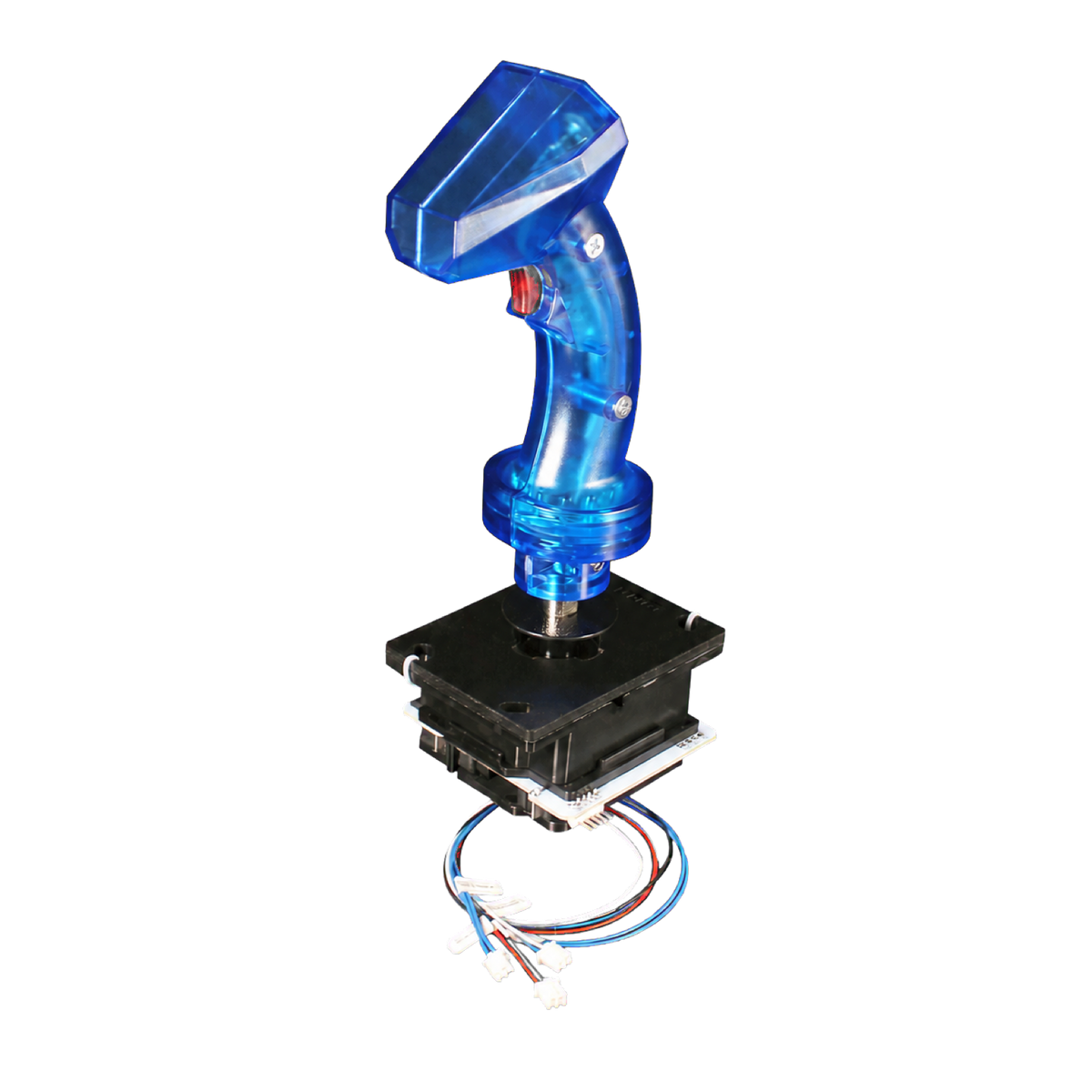
Disc of Tron flight stick

Swap in the Disc of Tron joystick — a flight stick with a trigger under your index finger, exactly like the cabinet.
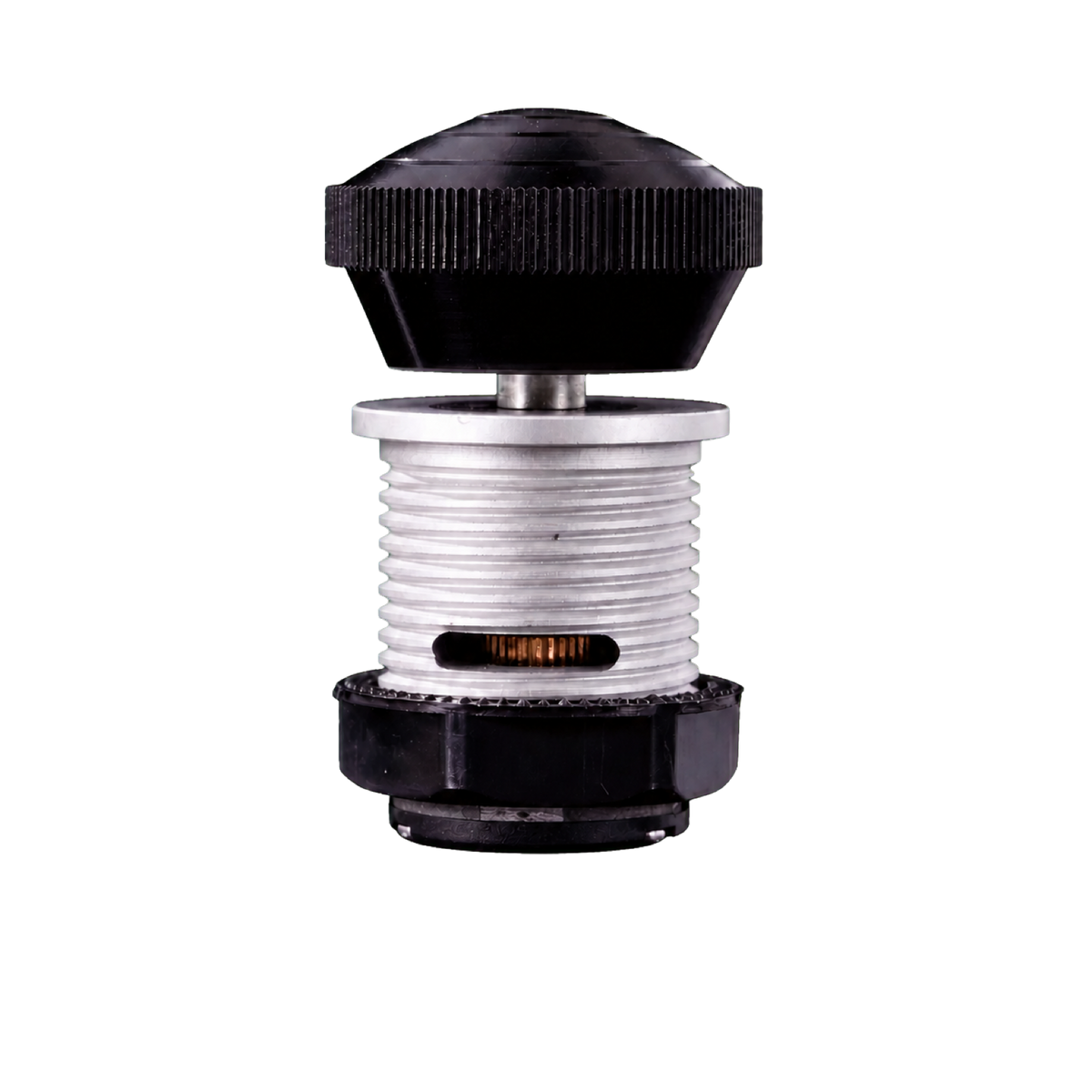
Push‑and‑pull spinner

Replace a spinner with the push‑pull spinner — spin to steer, push to fire. The other half of a proper Disc of Tron setup.
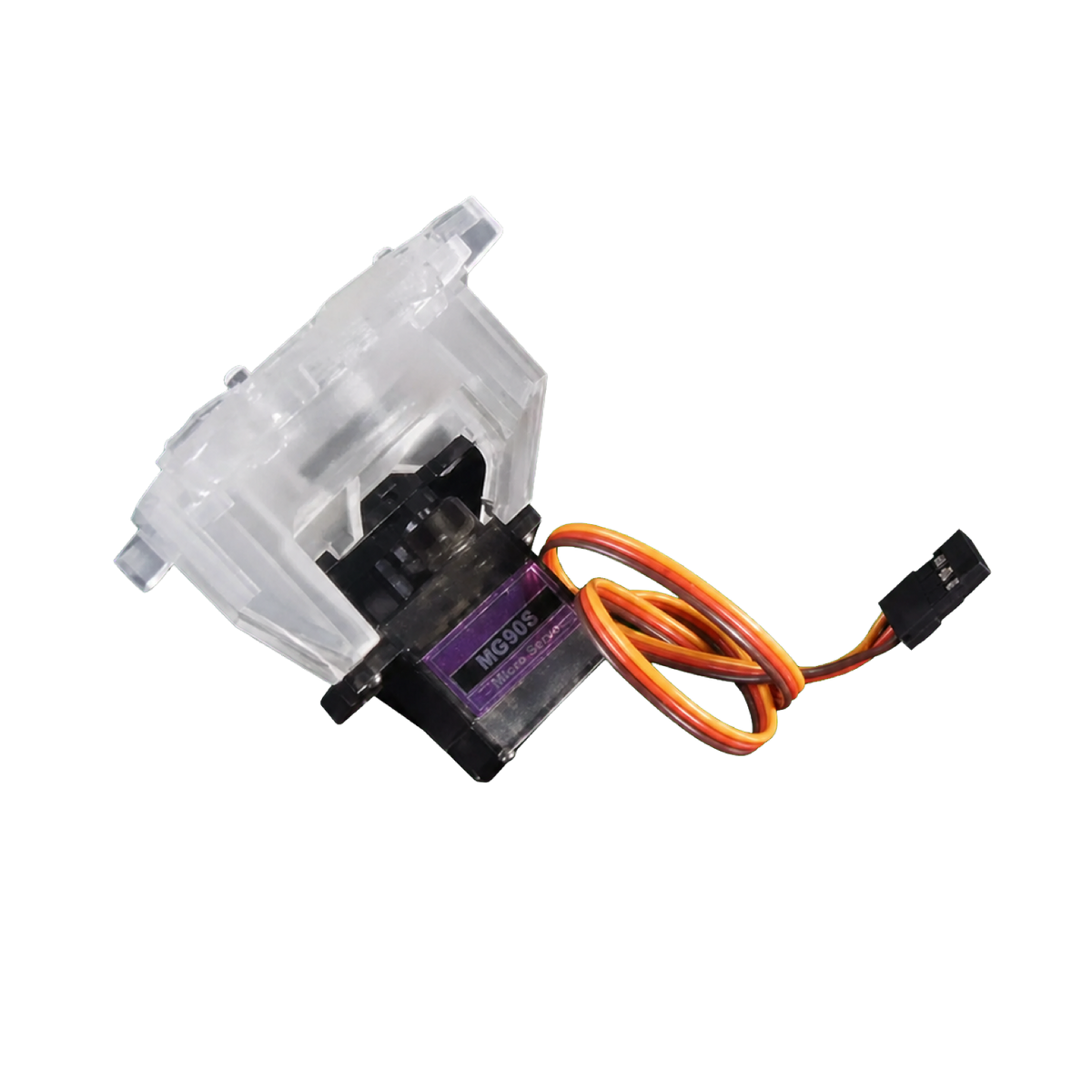
Auto gate switcher

Add the automatic joystick gate switcher and the restrictor flips between 4‑way and 8‑way on its own — no unscrewing the panel between games.


Works with
Glen’s Retro Show ThunderStick Studio

GRS accessories bolt straight in.  The MAX is built to accept Glen’s Retro Show and ThunderStick Studio parts, so the accessory ecosystem arcade builders already trust mounts into this deck — no adapter plates, no custom wiring.

Upgrading from the original XR?

We read every review. We counted every request. Then we built all of it into one deck. More buttons. More ports. More feel. No compromises left. That’s why it’s called MAX.
Compare

Worth the upgrade? Sixteen times over.

A few ways Arcade2TV‑XR MAX gives you more.

Three flipper buttons stacked down one side of the MAX deck
Flipper buttons
3 per side
Pro pinball staging.
1 per side on the XR
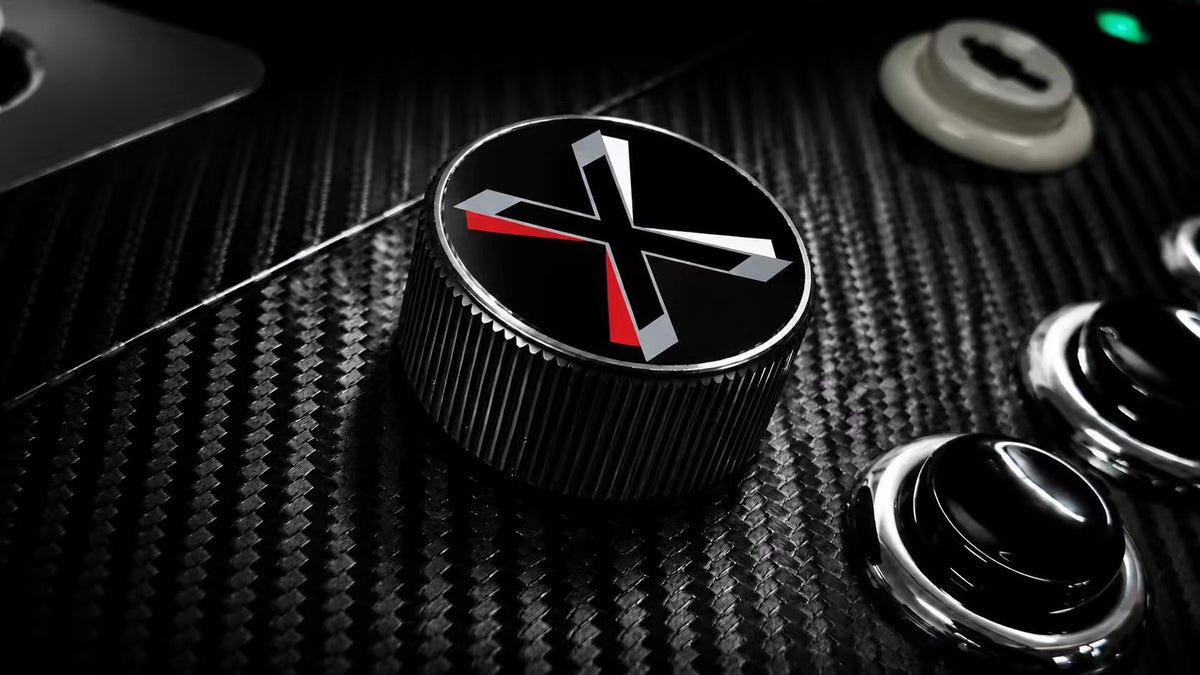
A front-mounted spinner knob carrying the X-Arcade mark
Spinners
2, front‑mounted
Built in.
Add‑on kit on the XR
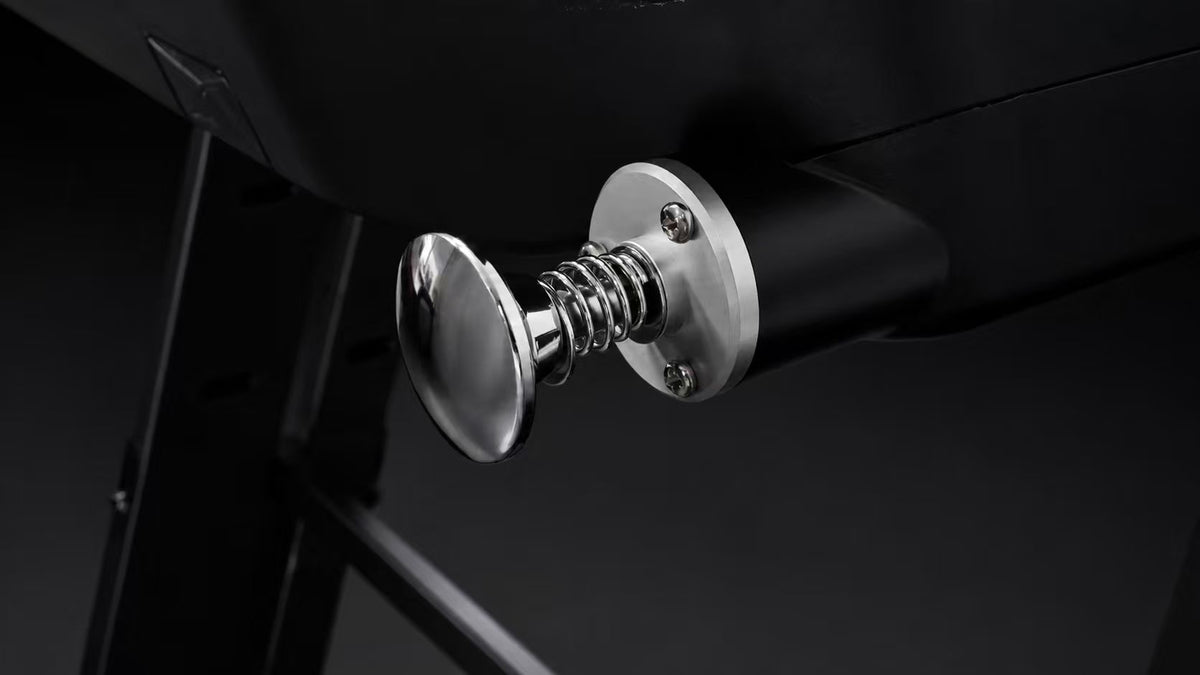
The chrome pinball plunger and its spring, mounted through the deck
Pinball plunger
Built in
Add‑on kit on the XR
Nudge accelerometer
Built in
Add‑on kit on the XR
The full rear panel: power, W/BT/2.4G, MODE, LED, SOL, ACC, VIB, AUD and AUX IN
Mode switching
A physical rear panel
Power, connection, driver.
Front touch panel, or a combination of button presses, on the XR
Front panel lock
Electronic lock
Not on the XR
Rear data port
USB‑C
OTG charge + data + audio.
USB‑B on the XR
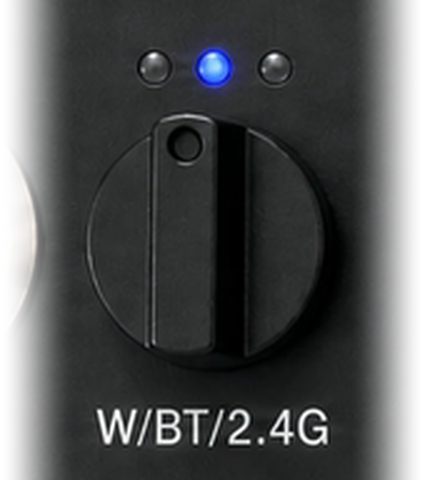
The W/BT/2.4G selector knob with its three position LEDs
Quest connection
Three ways
Bluetooth · 2.4G · Wired 2–3 ms.
2.4G wireless dongle only on the XR
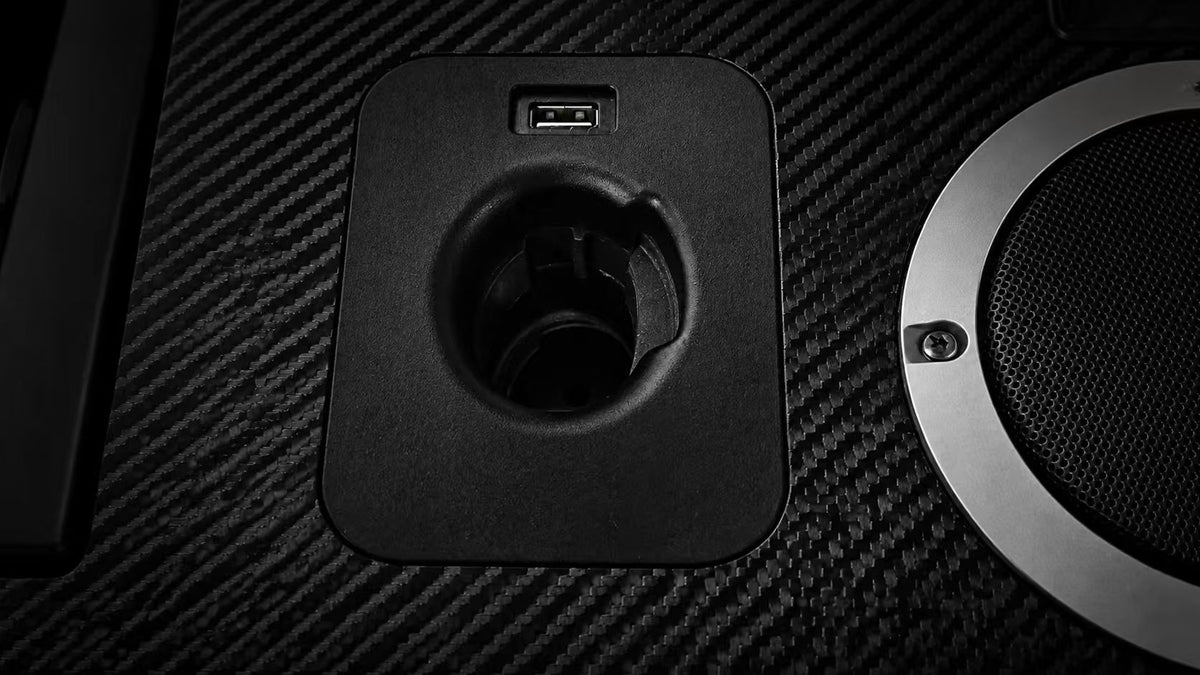
The two USB-A ports at the top Quest mounting slot
USB‑A ports
2, up top
At the Quest mounting slot — light guns, USB sticks, peripherals.
Not on the XR
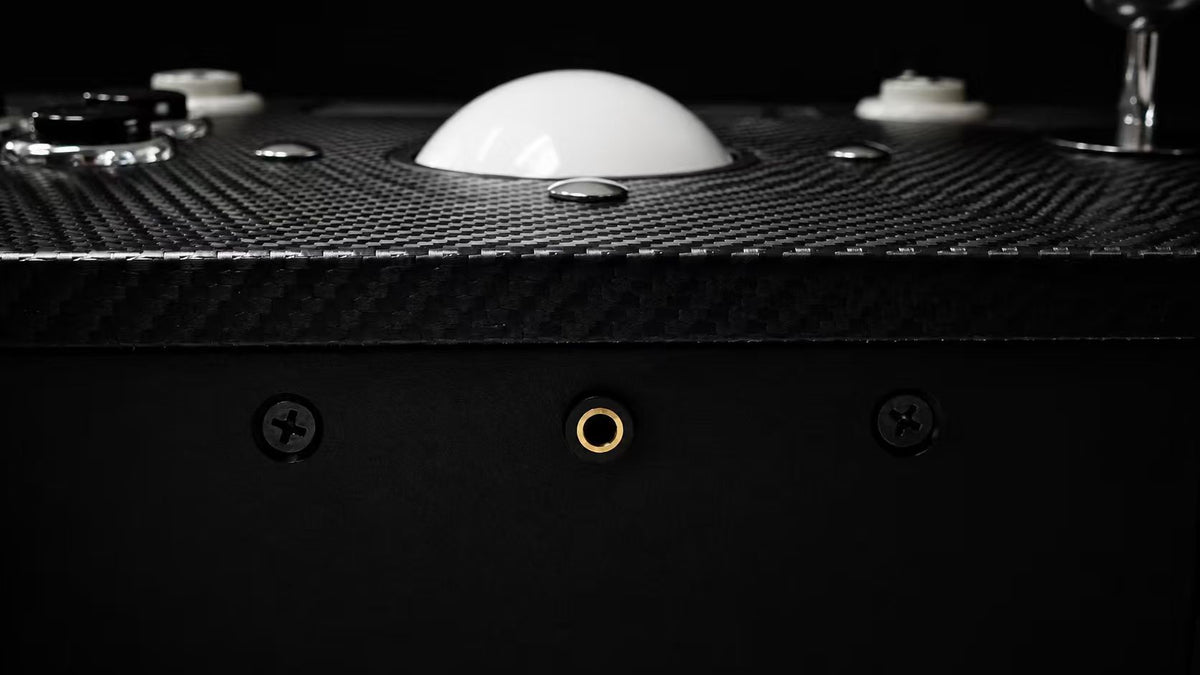
The front-facing 3.5mm headphone jack on the MAX
Headphone jack
Front‑facing 3.5mm
Not on the XR
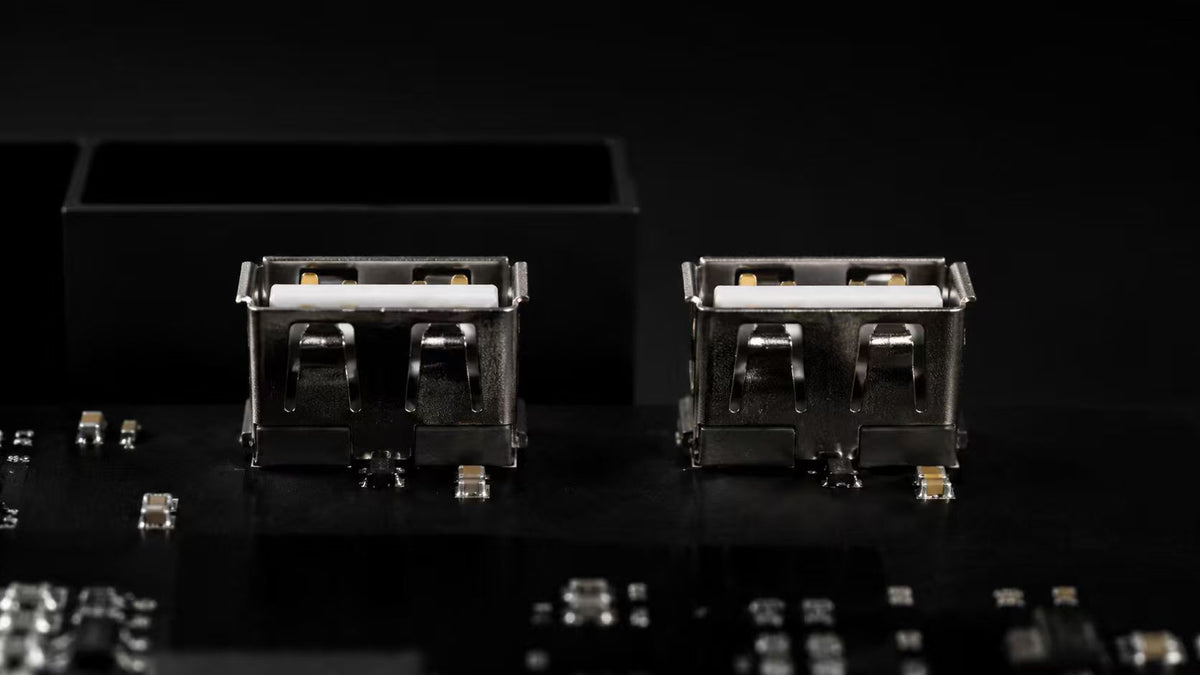
The two internal USB mod ports inside the MAX
Internal mod ports
2 internal USB
For custom parts.
Not on the XR
The all-black MAX finish with chrome-plated bezels
Finish
All‑black
Chrome‑plated bezels · white P1 & P2 buttons.
White on the XR
The physical lighting control on the MAX rear panel
Lighting control
Physical rear control
Front touch panel on the XR
The haptics tuning knob on the MAX rear panel
Haptics
Built in
Tunable via a rear knob.
Add‑on kit on the XR
Power
A single supply
Add‑on kit and multiple adapters on the XR
Speakers
Optimized
PSU noise engineered out.
Standard on the XR
The AUX 3.5mm input, carried over from the XR
Unchanged
AUX 3.5mm input
Still here
Nothing was taken away.
Yes on the XR
Arcade2TV‑XRThe original
Arcade2TV‑XR MAXTankstick VR MAX
Flipper buttons
1 per side
3 per side — pro pinball staging
Spinners
With add‑on kit
2, front‑mounted — built in
Pinball plunger
With add‑on kit
Built in
Nudge accelerometer
With add‑on kit
Built in
Mode switching
Front touch panel, or a combination of button presses
Physical rear panel — power, connection, driver
Front panel lock
Electronic lock
Rear data port
USB‑B
USB‑C · OTG charge + data + audio
Quest connection
2.4G wireless dongle only
Bluetooth · 2.4G · Wired 2–3 ms
USB‑A ports
2, at the top Quest mounting slot — light guns, USB sticks, peripherals
Headphone jack
Front‑facing 3.5mm
Internal mod ports
2 internal USB ports for custom parts
Finish
White
All‑black, chrome‑plated bezels · white P1 & P2
Lighting control
Front touch panel
Physical rear control
Haptics
With add‑on kit
Built in — tunable via rear knob
Power
With add‑on kit and multiple adapters
Single power supply — one plug for deck + haptics
Speakers
Standard
Optimized — PSU noise engineered out
AUX 3.5mm input
Yes
Yes — still here
Tech specs

The fine print, printed large.

Controls
Joysticks2× commercial‑grade — swappable for a rotary joystick or a Disc of Tron flight stick. An optional user mod, made easy by the internal USB port: unplug one, plug in the other.
TrackballCenter‑mounted, arcade grade
Flipper buttons3 per side, chrome‑plated bezels
Spinners2× front‑mounted — swappable for a push‑and‑pull spinner (Disc of Tron)
PinballDedicated plunger · accelerometer nudge · single‑player Pinball driver mode
Connectivity
WirelessBluetooth · 2.4G via dongle
WiredRear USB‑C — OTG charge up to 24W, data, low‑latency audio · 2–3 ms to Quest
Host supportMeta Quest · PC · Steam Deck · consoles via adapters (sold separately)
FirmwareUser‑upgradeable — one single firmware covers every mode. No more picking a different firmware file per device.
Expansion2× USB‑A at the top Quest mounting slot · 2× internal USB ports for mods
Driver modesFive, on one physical rear switch — 1. Keyboard · 2. D‑input · 3. X‑input · 4. Pinball · 5. VPX (keyboard + D‑input together, tuned to run Visual Pinball X out of the box)
RemappingWeb‑based key mapping tool — runs in the browser on PC and Mac · or swap buttons right on the deck, no computer needed · on‑device factory reset
Audio & Haptics
SpeakersIntegrated, optimized against power‑supply interference
HapticsX‑Force system — 4 audio‑driven shakers · rumble intensity knob
Inputs/outputsFront 3.5mm headphone jack · rear 3.5mm AUX in · USB‑C audio
VolumePhysical rear knob
Power & Physical
PowerSingle 19V DC input — one supply for deck + haptics · runs cooler for longer‑lasting electronics
FinishAll‑black · chrome‑plated button bezels · white Player 1 & Player 2 start buttons
PanelFront touch panel with electronic lock · rear physical control panel
LightingRGB effects, controlled from rear panel
In the box
IncludedThe Arcade2TV‑XR MAX controller · the power supply · the 2.4G wireless dongle · the USB‑C OTG cable
VR gamesArcade Ranger and Pinball FX VR — two full VR titles, included at no extra cost. The MAX was built to play arcade and pinball in VR, so it arrives with both. Already own one or both? Email support@xgaming.com and we’ll waive the game cost.
Also includedEverything that shipped with the original Arcade2TV‑XR is in this box too — plus all of the MAX’s new hardware.
ShippingStandard US shipping: $33 for the controller on its own, $44 for the pedestal on its own — one oversized box each. $77 for the two together: two oversized boxes, sent as two separate shipments with two tracking numbers. International rates are quoted at checkout.
Choose your setup

Press start on your arcade.

Pre‑order is open — reserve yours today.

Pre‑order saves $50 on either MAX setup. The full experience — controller + pedestal — is $699 $649. Already own the original XR? The controller alone is $599 $549 and drops straight onto the stand or table you already use — or take the pedestal on its own for $100.

MAX Controller only

Upgrading from the original XR? The same MAX deck, without the pedestal — it drops straight onto the stand, desk or table you already use. Includes both VR games.

$599 $549
Save $50 at pre‑order · MSRP $599
+ $33 standard shipping · 1 oversized box
Pre-order

MAX Pedestal only

Already have a MAX deck? The free-standing pedestal on its own — arcade at the right height, sit or stand, no table needed.

$100
Pedestal only · no controller included
+ $44 standard shipping · 1 oversized box
Pre-order

Shipping is $33–$77. Here’s exactly why.

This isn’t a gamepad in a jiffy bag. The MAX is a full arcade control deck — heavy, rigid, and physically larger than anything carriers price as a standard parcel. Each piece travels in its own oversized, double‑walled box engineered to arrive undamaged, and oversized freight costs real money.

We could bury that in the sticker price and call shipping “free.” We’d rather show it: $33 for the controller, $44 for the pedestal, $77 for the two together — the bundle rate is simply the two box rates added up, with nothing tacked on for putting them in one order. Stated here, and again at checkout. Nothing appears at the last step that you haven’t already seen.

1
Controller on its own$33One oversized box, one tracking number.
2
Pedestal on its own$44One oversized box, one tracking number. It is the bulkier of the two, which is why it costs a little more to send.
3
Controller + pedestal$77Two boxes. Both are oversized, so they leave as two separate shipments with two tracking numbers — and can arrive on different days.

Interest‑free installments available at checkout · Standard US shipping $33–$77 depending on setup · International rates quoted at checkout

Arcade kids, grown up Gen X Quest owners Pinball fans Family game nights

Setup is one plug and one switch. Works with Meta Quest, PC, Steam Deck and consoles (adapters sold separately). Designed in the USA. Questions? 30‑second answers ↓

Quick answers

Anything else?

Do I need a VR headset?
Short answerNo. The MAX is a full arcade controller for TV, PC, Steam Deck and consoles on its own. What a Meta Quest headset adds is the VR arcade and the VR pinball hall — a full cabinet or a full pinball table standing in front of you, with your hands landing on real controls exactly where you see them. Great without a headset; a different thing entirely with one. The two VR games we include need a Quest to play.
Are any games included?
Two, freeYes — Arcade Ranger and Pinball FX VR both come with the MAX at no extra cost. That is deliberate. The MAX was designed to play arcade and pinball in VR, and these are the two titles its three‑a‑side flippers, spring plunger, nudge accelerometer and twin spinners were built around — so the VR arcade and the VR pinball hall are both ready on day one.
Already own them?Then don’t pay twice. Email support@xgaming.com and we’ll waive the game cost on your order. Tell us which of the two you already have on your Quest account and we’ll sort it out with you.
Which headsets work?
CompatibilityMeta Quest 2, Quest 3, Quest 3S and Quest Pro. Connect with one cable for the most responsive link (and charging while you play), or wirelessly over Bluetooth or the included 2.4G wireless dongle. As new headsets and handhelds ship, we’ll be testing them and doing what we can to add support.
Is it hard to set up?
SetupIt’s very easy — and much simpler than the original. The physical knobs and switches replaced the old hidden button combinations, so there is nothing to memorise: plug in the power, flip the switch for how you’re connecting, flip the switch for driver mode, play. No drivers, no apps, no menus. The only thing you actually assemble is the pedestal, if you ordered the bundle.
Can I remap the buttons?
Two waysYes — and neither needs a driver install. The web‑based key mapping tool runs in your browser on PC or Mac: plug in, remap any control, done. No computer handy? Swap button assignments right on the deck — no PC needed. It’s the simplest customization we’ve ever shipped.
Fresh startA factory reset is built into the device too — take everything back to stock any time, no computer required.
What do I need to supply myself?
Bring your ownThe MAX is the controller. A VR headset is not included — you use your own Quest. For PC play you use your own PC, Steam Deck or console, and you supply your own games there. In VR you don’t start from nothing: Arcade Ranger and Pinball FX VR are both included at no extra cost. What you get from us is the control deck itself, and on that front we’ll say it plainly: it carries features that do not exist on any other game controller in the world.
How does it actually work?
In 3 stepsSet it on a table or its pedestal. Plug into your Quest, PC, Steam Deck or console — it just shows up as a controller. Grab the sticks and play; in VR your hands land on real controls exactly where you see them.
What can I play?
In VRPinball FX VR and Arcade Rangerboth included with your MAX. Real flippers, plunger and nudge on one, a full arcade deck on the other. Beyond those two, the MAX works with the wider VR arcade library as well — Quantaar, Age of Joy and Arcade Time Capsule among them.
PC, Steam Deck & consolesPretty much every classic arcade‑stick game there is — fighters, shooters, beat’em‑ups, trackball and spinner classics — plus plenty of modern games, depending on the game.
How much is shipping, and how does it arrive?
CostStandard US shipping is $33 for the controller on its own, $44 for the pedestal on its own, and $77 for the two together — which is exactly those two rates added up, with nothing tacked on for ordering them at the same time. It isn’t free, and we don’t pretend otherwise — this is heavy, oversized arcade hardware and carriers price it by size as well as weight. International rates are quoted at checkout.
BoxesThe controller on its own ships in one oversized box, and so does the pedestal on its own. The controller + pedestal bundle ships in two oversized boxes, sent as two separate shipments with two tracking numbers, so they can arrive on different days.
I own the original Arcade2TV‑XR — what’s new?
In shortThis is a massive step up, built directly on what original owners told us. Everything people used to bolt on themselves is built in from the factory — no DIY upgrade kits, no add‑on boards, no second power brick.
1 · Audio and powerUpgraded speakers and rebuilt power management — a single power supply now runs the deck and the haptics, and the supply noise that used to leak into the speakers is engineered out.
2 · ConnectivityBluetooth, the 2.4G dongle, and a wired link over one single cable that carries charging, low‑latency control and audio pass‑through at the same time.
3 · Design and customizationSleek all‑black finish, chrome bezels on the buttons, spinners included as standard, and far more moddability — inside the unit and out — plus key remapping from any browser, or right on the deck with no computer at all.

MAX out
your arcade.

Every request, every port, every millisecond — in one all‑black deck.

$699 $649 pre‑order — controller + pedestal included · + $77 standard shipping
★ Designed in the USA

Console adapters sold separately. The USB‑C OTG cable is included in the controller kit. Pinball driver mode is single‑player. Latency figures refer to the wired USB‑C connection.